Chrome Extension · v1.3.6
Capture the exact context, edit it locally, and export a polished result.
Capture a full page, a scrollable iframe, or a selected area. Send an area straight to Edit, Copy, or Download, then finish the result in the redesigned light or dark editor.
Where SnapEdit fits best
Used in real class materials and visual report workflows.
For teaching
Capture online materials, add notes, and prepare lecture handouts faster.
For reports
Collect webpage evidence, highlight key sections, and turn screenshots into cleaner report materials.
For design references
Save inspiring layouts, annotate details, and organize long pages or cropped sections for review.
For feedback and documentation
Share UI issues, visual comments, and page context more clearly with teammates or clients.
How to Use
Get started with SnapEdit in three simple steps.
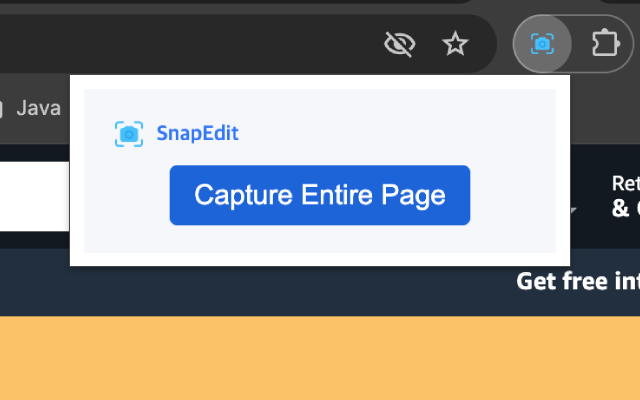
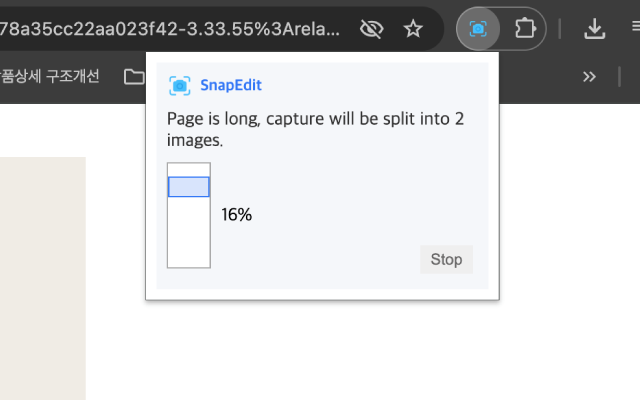
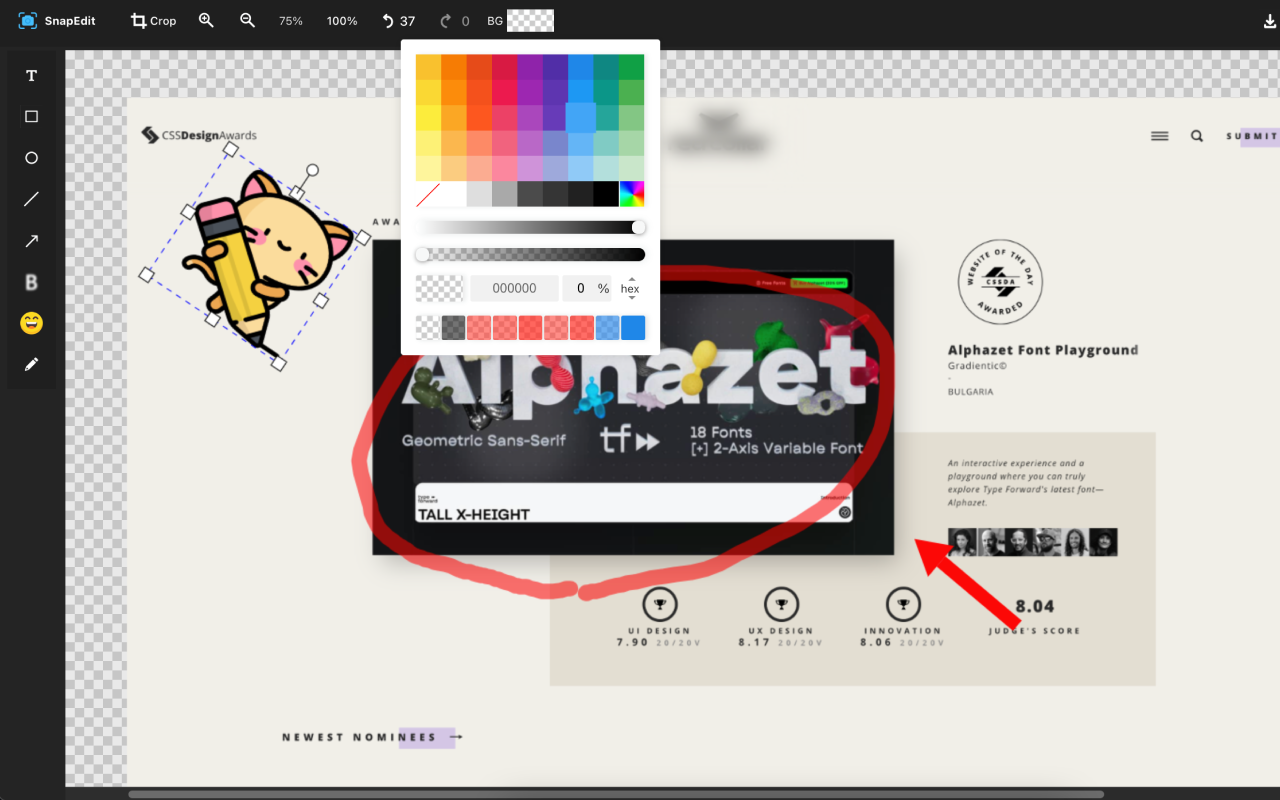
1. Capture what matters
Capture a full webpage, a scrollable frame, or a custom area.
2. Annotate and refine
Choose Edit, Copy, or Download after area capture, or refine the result with annotations and blur.
3. Use it in real work
Export PNG, JPEG, WebP, or PDF and keep the interface comfortable with light, dark, or system theme.
Full Page & Area Capture
Capture long webpages for full context or crop just the section you need.
Quick Visual Editing
Annotate and clean up screenshots right away with built-in tools.
Useful for Classes, Reports, and Feedback
Organize visuals for teaching, assignments, design review, and team communication.
Local by Default
Screenshots, page content, usage analytics, and failure diagnostics are not sent to SnapEdit or an analytics service.
Privacy in v1.3.6
Capture data stays in Chrome. Usage and failure logs are not collected.
Temporary frames are combined locally and removed after processing. Page URLs, page content, screenshots, editor sessions, usage analytics, and failure diagnostics are not transmitted to SnapEdit.
Who Uses SnapEdit
역할 이름보다 실제 사용 순간 중심으로 정리했습니다.
Frontend Developers
깨진 컴포넌트 구역만 캡처해 콘솔 로그와 함께 버그 리포트를 정리합니다.
Design & Product
디자인 리뷰 중 간격이나 정렬 이슈가 있는 부분만 잘라 팀 채널에 바로 공유합니다.
Support & Docs
민감 정보가 포함된 영역은 제외하고 필요한 화면만 캡처해 응대 템플릿과 문서를 업데이트합니다.
Ready to Try
Install SnapEdit before your next bug report
No blank screen. No recapture loop. Capture the exact area and move straight to editing.
Q&A
로그인 없이 질문을 남길 수 있고, 등록된 답변은 아래에서 바로 확인할 수 있습니다.